1
2
3
4
5
6
7
8
9
10
11
12
13
14
15
16
17
18
19
20
21
22
23
24
25
26
27
28
29
30
31
32
33
34
35
36
37
38
39
40
41
42
43
44
45
46
47
48
49
50
51
52
53
54
55
56
57
58
59
60
61
62
63
64
65
66
67
68
69
70
71
72
73
74
75
76
77
78
79
80
81
82
83
84
85
86
87
88
89
90
91
92
93
94
95
96
97
98
99
100
101
102
103
104
105
106
107
108
109
110
111
112
113
114
115
116
117
118
119
120
121
122
123
124
125
126
127
128
129
130
131
132
133
134
135
136
137
138
139
140
141
142
143
144
145
146
147
148
149
150
151
152
153
154
155
156
157
158
159
160
161
162
163
164
165
166
167
168
169
170
171
172
173
174
175
176
177
178
179
180
181
182
183
184
185
186
187
188
189
190
191
192
193
194
195
196
197
198
199
200
201
202
203
204
205
206
207
208
209
210
211
212
213
214
215
216
217
218
219
220
221
222
223
224
225
226
227
228
229
230
231
232
233
234
|
# pi-browser-harness
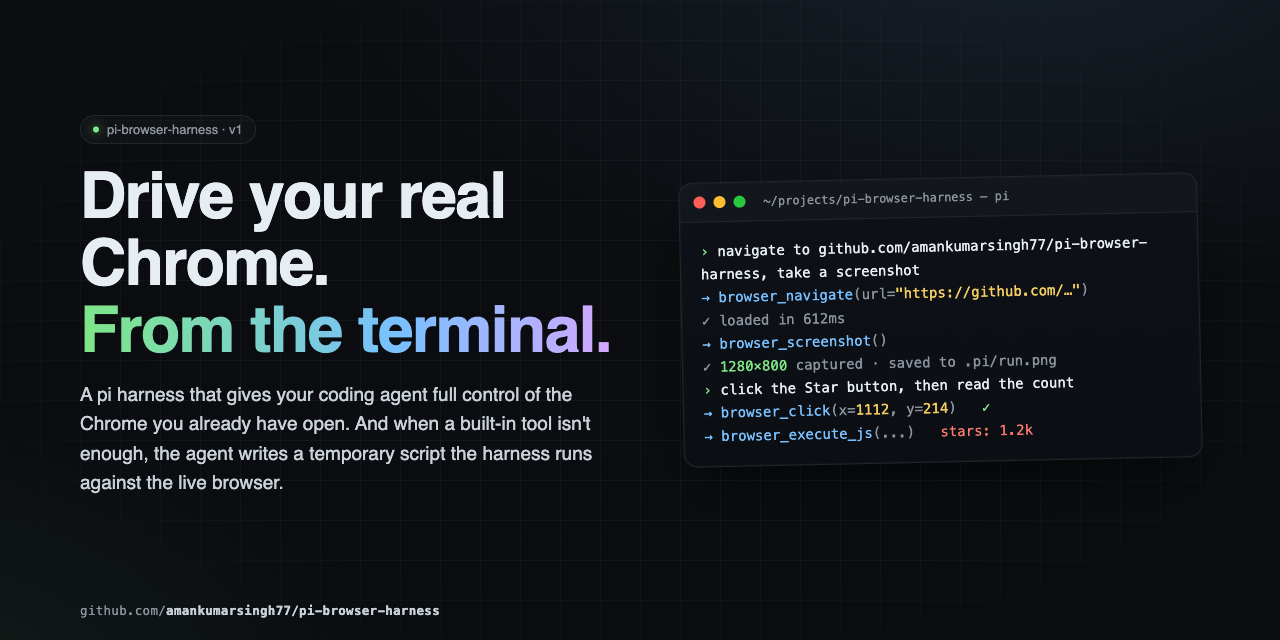
Full browser control for pi agents. Navigate, click, type, screenshot, and extract data from your real Chrome — all driven through natural language via CDP.
---
## Quick Start
```bash
# 1. Install
pi install npm:pi-browser-harness
# 2. Enable Chrome remote debugging
# Open chrome://inspect/#remote-debugging in Chrome,
# tick "Discover network targets", click Allow.
# Or launch Chrome with --remote-debugging-port=9222
# 3. Connect
/browser-setup
```
### Requirements
- pi (latest)
- Node.js ≥ 22
- Chrome / Chromium / Edge
---
## Tools
| Tool | Purpose |
|------|---------|
| `browser_screenshot` | Capture a PNG screenshot of the current page |
| `browser_click` | Click at viewport coordinates |
| `browser_type` | Type text into the focused element |
| `browser_press_key` | Press a key (Enter, Tab, Escape, arrows, etc.) with optional modifiers |
| `browser_scroll` | Scroll the page by delta pixels |
| `browser_navigate` | Navigate to a URL |
| `browser_new_tab` | Open a new tab, optionally navigate |
| `browser_open_urls` | Open multiple URLs in parallel tabs |
| `browser_go_back` / `browser_go_forward` / `browser_reload` | History navigation |
| `browser_page_info` | Get URL, title, viewport, scroll position, or dialog state |
| `browser_list_tabs` / `browser_current_tab` / `browser_switch_tab` | Tab discovery and switching |
| `browser_execute_js` | Run JavaScript in the page and return the result |
| `browser_http_get` | Direct HTTP GET outside the browser — much faster for APIs |
| `browser_wait` / `browser_wait_for_load` | Sleep, or wait for `readyState === 'complete'` |
| `browser_handle_dialog` | Accept or dismiss `alert` / `confirm` / `prompt` |
| `browser_run_script` | Execute a temporary script with daemon and Node.js access |
---
## Core Patterns
The golden rule: **screenshot → act → screenshot → verify.** Never assume — always look.
### Navigation
```
browser_new_tab({ url: "https://example.com" })
browser_wait_for_load()
browser_screenshot()
```
### Form filling
```
browser_screenshot() # see the form
browser_click({ x: 400, y: 200 }) # click the search input
browser_type({ text: "query" }) # type
browser_press_key({ key: "Enter" }) # submit
browser_wait_for_load()
browser_screenshot() # verify
```
### Data extraction
```
browser_execute_js({ expression: "document.querySelector('.price').innerText" })
browser_http_get({ url: "https://api.github.com/repos/amankumarsingh77/pi-browser-harness" })
// Structured arrays
browser_execute_js({ expression: `Array.from(document.querySelectorAll('.result')).map(el => ({
title: el.querySelector('h3')?.textContent,
link: el.querySelector('a')?.href,
}))` })
```
### Research workflow
```
browser_navigate({ url: "https://google.com/search?q=..." })
// read search results
browser_open_urls({ urls: ["url1", "url2", "url3"] })
browser_list_tabs()
browser_switch_tab({ targetId: "..." })
browser_screenshot()
browser_execute_js({ expression: "document.querySelector('.content').innerText" })
```
### Scrolling
```
browser_screenshot()
browser_scroll({ deltaY: -500 })
browser_screenshot()
```
### Keyboard modifiers
| Key | Bit |
|-----|-----|
| Alt | 1 |
| Ctrl | 2 |
| Meta / Cmd | 4 |
| Shift | 8 |
Combine with bitwise OR:
```
browser_press_key({ key: "c", modifiers: 2 }) // Ctrl+C
browser_press_key({ key: "v", modifiers: 4 }) // Cmd+V
browser_press_key({ key: "T", modifiers: 10 }) // Ctrl+Shift+T
```
### SPAs (React, Vue, etc.)
`browser_wait_for_load` only checks `readyState`. Poll for elements after:
```
browser_execute_js({ expression: "!!document.querySelector('.loaded-content')" })
```
### Dialogs
JS dialogs (`alert` / `confirm` / `prompt`) freeze the page. Check `browser_page_info` first — if it reports a dialog, handle it before anything else:
```
browser_handle_dialog({ action: "accept" }) // confirm
browser_handle_dialog({ action: "dismiss" }) // cancel
browser_handle_dialog({ action: "accept", promptText: "hello" }) // prompt
```
---
## Temporary Scripts
When built-in tools aren't enough, write a script to disk and run it:
```js
// 1. Write the script
write("/tmp/scrape-pages.js", `
const results = [];
for (const url of params.urls) {
await daemon.cdp("Page.navigate", { url });
await new Promise(r => setTimeout(r, 2000));
const title = await daemon.evaluateJS("document.title");
results.push({ url, title });
}
return { content: [{ type: "text", text: JSON.stringify(results, null, 2) }] };
`)
// 2. Execute it
browser_run_script({ path: "/tmp/scrape-pages.js", params: { urls: [...] } })
```
**Script bindings:** `params`, `daemon`, `require`, `signal`, `onUpdate`, `ctx`, `console`, `fetch`, `JSON`, `Buffer`, `setTimeout`, `clearTimeout`.
Scripts are written to disk — auditable and re-runnable.
---
## Commands
| Command | Description |
|---------|-------------|
| `/browser-setup` | Connect pi to Chrome (run once) |
| `/browser-status` | Show daemon health and current page |
| `/browser-reload-daemon` | Restart the connection |
---
## What NOT to do
- Don't launch your own browser — you're connected to the user's real Chrome
- Don't type credentials — if you hit an auth wall, stop and ask
- Don't assume a page action worked — screenshot to verify
- Don't write pixel coordinates into documentation — describe selectors and text instead
- Don't ignore dialogs — check `browser_page_info` first
---
## Architecture
```
pi agent → pi-browser-harness (TypeScript)
│ CDP WebSocket
▼
Chrome
```
Temporary scripts run inside the harness process with full daemon and Node.js access.
---
## Troubleshooting
| Symptom | Fix |
|---------|-----|
| `DevToolsActivePort not found` | Open `chrome://inspect/#remote-debugging`, tick the checkbox, click Allow |
| Connection fails after Chrome restart | Run `/browser-reload-daemon` |
| Page seems loaded but content is missing | SPA — poll with `browser_execute_js` for the element you need |
| A JS dialog is blocking actions | `browser_page_info` will report it — use `browser_handle_dialog` |
| Daemon not starting | Run `/browser-setup` to re-run guided setup |
---
## Contributing
See [CONTRIBUTING.md](CONTRIBUTING.md) for setup, conventions, and PR process.
---
## Security
This extension drives your real Chrome. The agent can see open tabs, read page content, submit forms, and act inside authenticated sessions. `browser_run_script` evaluates JavaScript in the pi process with full `require` access — review any temporary scripts before executing them.
---
## License
MIT — see [LICENSE](LICENSE).
|
