
diff options
| author | amankumarsingh77 <amankumarsingh7702@gmal.com> | 2026-05-06 00:20:20 +0530 |
|---|---|---|
| committer | amankumarsingh77 <amankumarsingh7702@gmal.com> | 2026-05-06 00:20:20 +0530 |
| commit | bd197399048212112d2337b4799ebe20de01a6e8 (patch) | |
| tree | 400cdd2afeeb50a94ccad59eedd27ff2e7f272e2 /README.md | |
| parent | 589cd294931c01b3748779635d17a13dd240af19 (diff) | |
docs: rewrite README for v0.4.0 — comparison table, snapshot-first patterns
Adds a "Why pi-browser-harness?" comparison table (vs Playwright MCP, Stagehand,
Puppeteer MCP) at the top, surfacing the differentiators a chooser actually
cares about: real Chrome, coordinate clicks through iframes/shadow DOM, inline
TUI rendering, AX tree with @(x,y) coords, parallel execution, scripts.
Tool list reorganized into "Page inspection (use these by default)" / "Visual
(last resort)" / Navigation / Interaction / Utility — adds browser_snapshot,
browser_network_requests, browser_close_tab. Patterns rewritten snapshot-first;
form filling and research no longer screenshot. New sections for parallel
execution and tab ownership. Temporary scripts example fixed to use the actual
daemon.session().call() binding. Three explicit anti-screenshot rules in
"What NOT to do".
Co-Authored-By: Claude Opus 4.7 (1M context) <noreply@anthropic.com>
Diffstat (limited to 'README.md')
| -rw-r--r-- | README.md | 206 |
1 files changed, 150 insertions, 56 deletions
@@ -2,7 +2,29 @@ 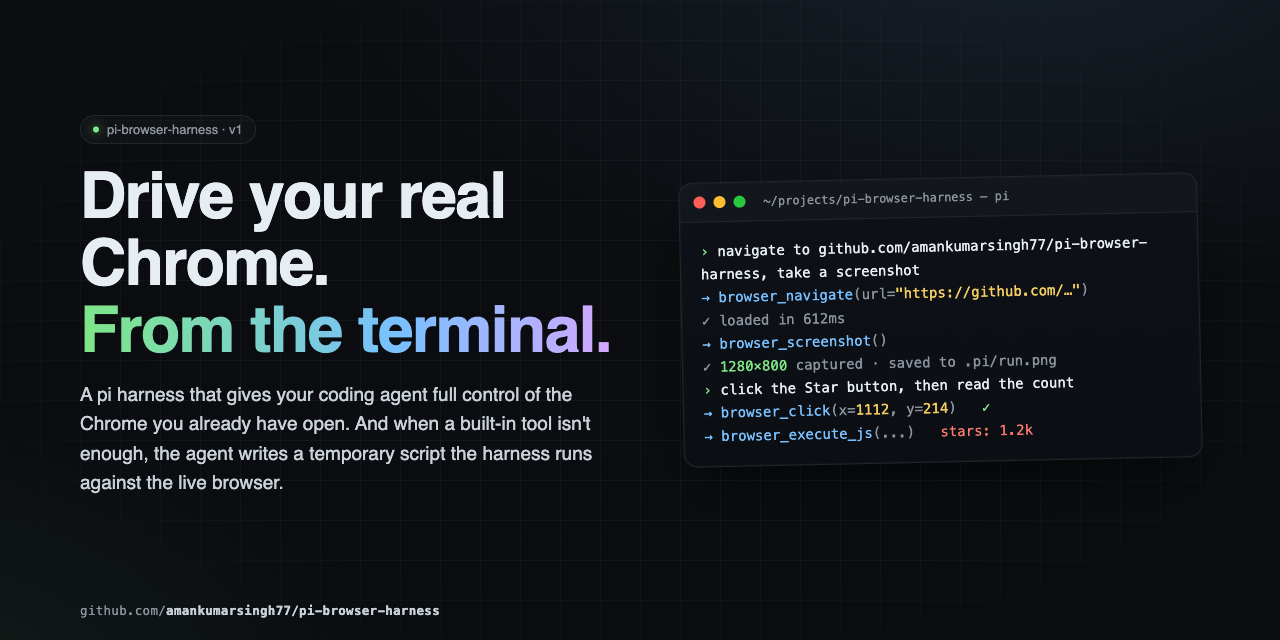 -Full browser control for pi agents. Navigate, click, type, screenshot, and extract data from your real Chrome — all driven through natural language via CDP. +Full browser control for pi agents in **your real Chrome** — your sessions, your cookies, your tabs. Drives navigation, structured page reads, network capture, clicks, typing, screenshots, and arbitrary scripts via CDP. + +--- + +## Why pi-browser-harness? + +| Capability | pi-browser-harness | Playwright MCP | Stagehand | Puppeteer MCP | +|---|:---:|:---:|:---:|:---:| +| **Drives your real Chrome** (logged-in sessions preserved) | ✅ | ❌ launches its own browser | ❌ | ❌ | +| **Coordinate clicks** that work through iframes, shadow DOM, cross-origin | ✅ | ❌ selector-based | ❌ selector-based | ❌ selector-based | +| **Inline TUI screenshot rendering** (Kitty/iTerm2/Ghostty/WezTerm) | ✅ | ❌ | ❌ | ❌ | +| **Accessibility-tree snapshot with click coords `@(x,y)` per element** | ✅ | ✅ tree only, no coords | partial | ❌ | +| **Network request capture** with filters + body capture | ✅ | ✅ post-hoc list | ❌ | ❌ | +| **Parallel tool execution** with automatic mutation serialization | ✅ | ❌ | ❌ | ❌ | +| **Temporary scripts** with daemon + full Node.js | ✅ | ❌ | ❌ | ❌ | +| **Direct HTTP GET** outside the browser (10–50× faster for APIs) | ✅ | ❌ | ❌ | ❌ | +| **Tab ownership isolation** — never touches the user's other tabs | ✅ | N/A | N/A | N/A | +| **Pi-native** — no MCP/JSON-RPC overhead, no extra LLM API keys | ✅ | ❌ MCP roundtrip | ❌ external LLM | ❌ MCP roundtrip | +| **TypeScript strict mode**, zero `any`, all CDP casts documented | ✅ | unknown | unknown | unknown | +| Ctrl+O expand/collapse on tool output | ✅ | ❌ | ❌ | ❌ | +| Compositor-level dispatch (works on every site, no flakey waits) | ✅ | ❌ | ❌ | ❌ | + +If you live in pi and you want an agent driving the same Chrome you're already signed into, this is the only one that fits. --- @@ -29,84 +51,144 @@ pi install npm:pi-browser-harness --- +## Tool hierarchy — read this first + +``` +What do you need to know? + + ├─ Page structure / what's clickable / labels? + │ → browser_snapshot (DEFAULT — AX tree with @(x,y) per interactive element) + │ + ├─ A specific element's value / attribute / coords? + │ → browser_execute_js (e.g. el.innerText, el.getBoundingClientRect()) + │ + ├─ Network behavior on the current page? + │ → browser_network_requests + │ + └─ Visual rendering (layout / colors / chart drew correctly)? + → browser_screenshot (LAST RESORT — pixels only) +``` + +Pass `@(x,y)` from `browser_snapshot` straight to `browser_click`. **No screenshot round-trip needed** to find click targets — the snapshot already has them. + +--- + ## Tools +### Page inspection (use these by default) + | Tool | Purpose | |------|---------| -| `browser_screenshot` | Capture a PNG screenshot of the current page | -| `browser_click` | Click at viewport coordinates | -| `browser_type` | Type text into the focused element | -| `browser_press_key` | Press a key (Enter, Tab, Escape, arrows, etc.) with optional modifiers | -| `browser_scroll` | Scroll the page by delta pixels | -| `browser_navigate` | Navigate to a URL | -| `browser_new_tab` | Open a new tab, optionally navigate | +| `browser_snapshot` | **Default for page inspection.** Returns the CDP accessibility tree with click coords `@(x,y)` for every interactive element. Optional `includeScreenshot:true`. | +| `browser_execute_js` | Surgical DOM reads — element text, attributes, `getBoundingClientRect()`. Cheapest, most precise. | +| `browser_network_requests` | List recent network requests on the current tab. Filter by url/method/status/type/recency; optional response-body capture. | +| `browser_page_info` | URL, title, viewport, scroll position, or pending dialog. | +| `browser_http_get` | Direct HTTP GET outside the browser — 10-50× faster for APIs. | + +### Visual (last resort) + +| Tool | Purpose | +|------|---------| +| `browser_screenshot` | Capture PNG/JPEG. Use only when you need to verify visual rendering. | + +### Navigation + +| Tool | Purpose | +|------|---------| +| `browser_navigate` / `browser_new_tab` | Navigate or open a tab | | `browser_open_urls` | Open multiple URLs in parallel tabs | | `browser_go_back` / `browser_go_forward` / `browser_reload` | History navigation | -| `browser_page_info` | Get URL, title, viewport, scroll position, or dialog state | -| `browser_list_tabs` / `browser_current_tab` / `browser_switch_tab` | Tab discovery and switching | -| `browser_execute_js` | Run JavaScript in the page and return the result | -| `browser_http_get` | Direct HTTP GET outside the browser — much faster for APIs | +| `browser_list_tabs` / `browser_current_tab` / `browser_switch_tab` / `browser_close_tab` | Tab management (only tabs this session opened) | + +### Interaction + +| Tool | Purpose | +|------|---------| +| `browser_click` | Click at viewport coordinates (use `@(x,y)` from `browser_snapshot`) | +| `browser_type` | Type text into the focused element | +| `browser_press_key` | Press a key with optional modifiers | +| `browser_scroll` | Scroll the page by delta pixels | + +### Utility + +| Tool | Purpose | +|------|---------| | `browser_wait` / `browser_wait_for_load` | Sleep, or wait for `readyState === 'complete'` | | `browser_handle_dialog` | Accept or dismiss `alert` / `confirm` / `prompt` | | `browser_run_script` | Execute a temporary script with daemon and Node.js access | ---- +Three tools (`browser_snapshot`, `browser_network_requests`, `browser_execute_js`) ship custom TUI rendering with **Ctrl+O** (`app.tools.expand`) to toggle between compact and full output. -## Core Patterns +--- -The golden rule: **screenshot → act → screenshot → verify.** Never assume — always look. +## Core patterns -### Navigation +### Page inspection ``` -browser_new_tab({ url: "https://example.com" }) -browser_wait_for_load() -browser_screenshot() +browser_snapshot() +# → AX outline with @(x,y) per button/link/input ``` -### Form filling +### Form filling (no screenshots) ``` -browser_screenshot() # see the form -browser_click({ x: 400, y: 200 }) # click the search input -browser_type({ text: "query" }) # type -browser_press_key({ key: "Enter" }) # submit +browser_snapshot() # find input @(x,y) and labels +browser_click({ x, y }) # click using snapshot's @(x,y) +browser_type({ text: "query" }) +browser_press_key({ key: "Enter" }) browser_wait_for_load() -browser_screenshot() # verify +browser_snapshot() # verify next state ``` ### Data extraction -``` +```js +// One value browser_execute_js({ expression: "document.querySelector('.price').innerText" }) +// Direct API call outside the browser browser_http_get({ url: "https://api.github.com/repos/amankumarsingh77/pi-browser-harness" }) // Structured arrays -browser_execute_js({ expression: `Array.from(document.querySelectorAll('.result')).map(el => ({ - title: el.querySelector('h3')?.textContent, - link: el.querySelector('a')?.href, -}))` }) +browser_execute_js({ expression: `JSON.stringify( + Array.from(document.querySelectorAll('.result')).map(el => ({ + title: el.querySelector('h3')?.textContent, + link: el.querySelector('a')?.href, + })) +)` }) +``` + +### Network debugging + +``` +browser_navigate({ url: "https://app.example.com/feed" }) +browser_wait_for_load() +browser_network_requests({ + urlPattern: "/api/", + statusFilter: { min: 400 }, + includeResponseBodies: true +}) ``` ### Research workflow ``` browser_navigate({ url: "https://google.com/search?q=..." }) -// read search results browser_open_urls({ urls: ["url1", "url2", "url3"] }) browser_list_tabs() browser_switch_tab({ targetId: "..." }) -browser_screenshot() +browser_wait_for_load() +browser_snapshot() browser_execute_js({ expression: "document.querySelector('.content').innerText" }) ``` -### Scrolling +### Visual verification (only when pixels matter) ``` -browser_screenshot() -browser_scroll({ deltaY: -500 }) -browser_screenshot() +browser_click({ x, y }) # got coords from browser_snapshot +browser_snapshot() # confirm the form transitioned +browser_screenshot() # ONLY if you need to verify a chart/modal/CSS rendered correctly ``` ### Keyboard modifiers @@ -118,55 +200,65 @@ browser_screenshot() | Meta / Cmd | 4 | | Shift | 8 | -Combine with bitwise OR: ``` browser_press_key({ key: "c", modifiers: 2 }) // Ctrl+C browser_press_key({ key: "v", modifiers: 4 }) // Cmd+V browser_press_key({ key: "T", modifiers: 10 }) // Ctrl+Shift+T ``` -### SPAs (React, Vue, etc.) +### Dialogs -`browser_wait_for_load` only checks `readyState`. Poll for elements after: +JS dialogs freeze the page. Check `browser_page_info` first — if it reports a dialog, handle it before anything else: ``` -browser_execute_js({ expression: "!!document.querySelector('.loaded-content')" }) +browser_handle_dialog({ action: "accept" }) // confirm +browser_handle_dialog({ action: "dismiss" }) // cancel +browser_handle_dialog({ action: "accept", promptText: "hello" }) // prompt ``` -### Dialogs +--- + +## Parallel execution -JS dialogs (`alert` / `confirm` / `prompt`) freeze the page. Check `browser_page_info` first — if it reports a dialog, handle it before anything else: +Observation tools run in parallel by default. Mutation tools (`click`, `type`, `scroll`, `navigate`, `switch_tab`, …) are automatically serialized through a shared mutex — emit them in the same turn and the harness FIFO-queues them. ``` -browser_handle_dialog({ action: "accept" }) // confirm -browser_handle_dialog({ action: "dismiss" }) // cancel -browser_handle_dialog({ action: "accept", promptText: "hello" }) // prompt +# All three run concurrently +browser_snapshot() +browser_network_requests({ sinceMs: 5000 }) +browser_http_get({ url: "..." }) ``` --- -## Temporary Scripts +## Tab ownership -When built-in tools aren't enough, write a script to disk and run it: +The harness never touches tabs you didn't open through it. On first attach it spawns a dedicated Chrome window; subsequent `browser_new_tab` calls open inside that window. `browser_list_tabs` defaults to `scope:"owned"` (pass `scope:"all"` to see read-only listings of your other tabs); `browser_switch_tab` and `browser_close_tab` refuse non-owned tabs. + +--- + +## Temporary scripts + +When the built-in tools aren't enough, write a script to disk and run it. Scripts get a `daemon` binding for direct CDP access — much faster than chaining tool calls. ```js -// 1. Write the script write("/tmp/scrape-pages.js", ` const results = []; for (const url of params.urls) { - await daemon.cdp("Page.navigate", { url }); + await daemon.session().call("Page.navigate", { url }); await new Promise(r => setTimeout(r, 2000)); - const title = await daemon.evaluateJS("document.title"); + const title = await daemon.evaluateJs("document.title"); results.push({ url, title }); } return { content: [{ type: "text", text: JSON.stringify(results, null, 2) }] }; `) -// 2. Execute it browser_run_script({ path: "/tmp/scrape-pages.js", params: { urls: [...] } }) ``` -**Script bindings:** `params`, `daemon`, `require`, `signal`, `onUpdate`, `ctx`, `console`, `fetch`, `JSON`, `Buffer`, `setTimeout`, `clearTimeout`. +**Bindings:** `params`, `daemon`, `require`, `signal`, `onUpdate`, `ctx`, `console`, `fetch`, `JSON`, `Buffer`, `setTimeout`, `clearTimeout`. + +`daemon` exposes: `evaluateJs`, `pageInfo`, `listTabs`, `switchTab`, `newTab`, `current`, and `session(targetId?)` for raw CDP via `session.call` / `session.callOnTarget` / `session.callBrowser` / `session.takeDialog`. Scripts are written to disk — auditable and re-runnable. @@ -186,8 +278,9 @@ Scripts are written to disk — auditable and re-runnable. - Don't launch your own browser — you're connected to the user's real Chrome - Don't type credentials — if you hit an auth wall, stop and ask -- Don't assume a page action worked — screenshot to verify -- Don't write pixel coordinates into documentation — describe selectors and text instead +- Don't screenshot to understand the page — `browser_snapshot` is the default +- Don't screenshot to find click coordinates — `browser_snapshot`'s `@(x,y)` is exact +- Don't screenshot to read a value — `browser_execute_js` is one round-trip - Don't ignore dialogs — check `browser_page_info` first --- @@ -211,9 +304,10 @@ Temporary scripts run inside the harness process with full daemon and Node.js ac |---------|-----| | `DevToolsActivePort not found` | Open `chrome://inspect/#remote-debugging`, tick the checkbox, click Allow | | Connection fails after Chrome restart | Run `/browser-reload-daemon` | -| Page seems loaded but content is missing | SPA — poll with `browser_execute_js` for the element you need | -| A JS dialog is blocking actions | `browser_page_info` will report it — use `browser_handle_dialog` | +| Page seems loaded but content is missing | SPA — call `browser_snapshot` again, or `browser_execute_js` for a specific element | +| JS dialog is blocking actions | `browser_page_info` will report it — use `browser_handle_dialog` | | Daemon not starting | Run `/browser-setup` to re-run guided setup | +| Snapshot didn't return `@(x,y)` for a target | Element wasn't recognized as interactive. Fall back to `browser_execute_js` with `getBoundingClientRect()` | --- |