
diff options
| author | amankumarsingh77 <amankumarsingh7702@gmail.com> | 2026-07-24 22:47:33 +0530 |
|---|---|---|
| committer | amankumarsingh77 <amankumarsingh7702@gmail.com> | 2026-07-24 22:47:33 +0530 |
| commit | 0fc1ece6fa4a2f24e87eb4a66eb828a9928e30f7 (patch) | |
| tree | 2fc208088828c840be4b6d5deb2685b283065c13 /README.md | |
| parent | 0a98de19d42e470624a78b459e1f0574d9a0f625 (diff) | |
docs: rewrite README for accuracy and readability
The README taught the coordinate-first interaction model that the harness
replaced with stable [eN] refs, and documented 22 of the 38 registered
tools. Restructured so each section answers one question, and rewrote the
content against the actual tool registry.
- Teach the ref-first model: snapshot yields [eN] handles that re-resolve
at action time, with coordinates as the fallback rather than the default.
- Document the 16 missing tools: the forms path (fill/select_option/focus),
console, wait_for, dispatch_key, drag_and_drop, upload_file, download,
print_to_pdf, viewport_resize, close_tab, and setup.
- Rebuild the comparison table as prose cells grouped by dimension. Drops
the unverifiable "unknown" rows and the duplicated click/dispatch claims,
and adds a provenance line so competitor claims stay correctable.
- Remove stale guidance: /browser-reload-daemon as the fix for a Chrome
restart (auto-reconnect landed in 0.6.0), and the unbenchmarked "10-50x
faster" claim on http_get.
- Add sections for concurrency and tab isolation, flags and environment
variables (BU_CDP_WS, BU_CDP_PORTS, BH_SCRIPT_DIR), and a troubleshooting
table keyed to the errors the harness actually emits.
Co-Authored-By: Claude Opus 4.8 (1M context) <noreply@anthropic.com>
Diffstat (limited to 'README.md')
| -rw-r--r-- | README.md | 420 |
1 files changed, 221 insertions, 199 deletions
@@ -2,347 +2,369 @@ 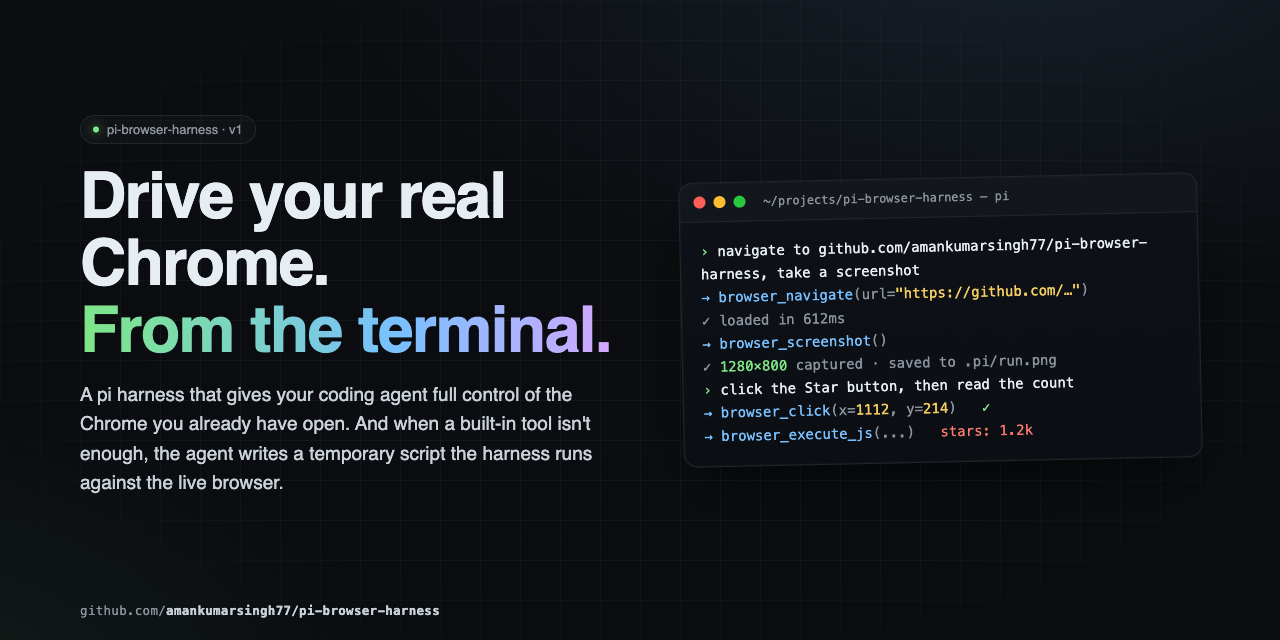 -Full browser control for pi agents in **your real Chrome** — your sessions, your cookies, your tabs. Drives navigation, structured page reads, network capture, clicks, typing, screenshots, and arbitrary scripts via CDP. +**Browser control for [pi](https://github.com/badlogic/pi-mono) agents, in the Chrome you're already using.** + +Your profile, your logins, your cookies. The agent reads pages as an accessibility tree with stable +element handles, fills forms that React won't revert, captures network traffic and console errors, +searches the web, and drops to raw CDP when the tools run out. 38 tools over a single CDP connection — +no MCP hop, no second browser, no extra API keys. --- -## Why pi-browser-harness? - -| Capability | pi-browser-harness | Playwright MCP | Stagehand | Puppeteer MCP | -|---|:---:|:---:|:---:|:---:| -| **Drives your real Chrome** (logged-in sessions preserved) | ✅ | ❌ launches its own browser | ❌ | ❌ | -| **Coordinate clicks** that work through iframes, shadow DOM, cross-origin | ✅ | ❌ selector-based | ❌ selector-based | ❌ selector-based | -| **Inline TUI screenshot rendering** (Kitty/iTerm2/Ghostty/WezTerm) | ✅ | ❌ | ❌ | ❌ | -| **Accessibility-tree snapshot with click coords `@(x,y)` per element** | ✅ | ✅ tree only, no coords | partial | ❌ | -| **Network request capture** with filters + body capture | ✅ | ✅ post-hoc list | ❌ | ❌ | -| **Parallel tool execution** with automatic mutation serialization | ✅ | ❌ | ❌ | ❌ | -| **Temporary scripts** with daemon + full Node.js | ✅ | ❌ | ❌ | ❌ | -| **Direct HTTP GET** outside the browser (10–50× faster for APIs) | ✅ | ❌ | ❌ | ❌ | -| **Tab ownership isolation** — never touches the user's other tabs | ✅ | N/A | N/A | N/A | -| **Pi-native** — no MCP/JSON-RPC overhead, no extra LLM API keys | ✅ | ❌ MCP roundtrip | ❌ external LLM | ❌ MCP roundtrip | -| **TypeScript strict mode**, zero `any`, all CDP casts documented | ✅ | unknown | unknown | unknown | -| Ctrl+O expand/collapse on tool output | ✅ | ❌ | ❌ | ❌ | -| Compositor-level dispatch (works on every site, no flakey waits) | ✅ | ❌ | ❌ | ❌ | - -If you live in pi and you want an agent driving the same Chrome you're already signed into, this is the only one that fits. +## How it compares + +| | **pi-browser-harness** | Playwright MCP | Puppeteer MCP | Stagehand | +|---|---|---|---|---| +| **Browser** | Your running Chrome — real profile, live sessions | Launches a clean instance | Launches a clean instance | Launches a clean instance | +| **Element targeting** | AX-tree refs (`[eN]`) that re-resolve at action time; coordinate and selector fallbacks | Selectors / AX locators | CSS selectors | LLM-inferred selectors | +| **Input dispatch** | Compositor-level CDP input — works through iframes, shadow DOM, cross-origin frames | DOM-level | DOM-level | DOM-level | +| **Framework-safe writes** | `browser_fill` writes via the native setter and fires bubbling events, so controlled inputs keep the value | Native fill | Manual | Native fill | +| **Transport** | Native pi extension, in-process | MCP / JSON-RPC round trip | MCP / JSON-RPC round trip | In-process + its own LLM calls | +| **Extra credentials** | None | None | None | Its own model API key | +| **Concurrency** | Reads run in parallel; mutations auto-serialize through a shared mutex | Sequential | Sequential | Sequential | +| **Isolation** | Dedicated Chrome window per session; refuses tabs it didn't open | N/A (own browser) | N/A | N/A | +| **Terminal output** | Inline screenshots and `Ctrl+O`-expandable tool results | Plain text | Plain text | Plain text | +| **Escape hatch** | `browser_run_script` — raw CDP + full Node in one call | — | — | — | + +<sub>Reflects each project's default configuration. Corrections welcome via PR.</sub> + +**The short version:** if you live in pi and want an agent driving the same Chrome you're already +signed into, this is the one that fits. --- -## Quick Start +## Install ```bash -# 1. Install pi install npm:pi-browser-harness - -# 2. Enable Chrome remote debugging -# Open chrome://inspect/#remote-debugging in Chrome, -# tick "Discover network targets", click Allow. -# Or launch Chrome with --remote-debugging-port=9222 - -# 3. Connect -/browser-setup ``` -### Requirements +Then enable remote debugging in your browser — either open `chrome://inspect/#remote-debugging` +(or `brave://inspect`, `edge://inspect`), tick **Discover network targets**, and click **Allow** — +or relaunch the browser with `--remote-debugging-port=9222`. + +Finally, run `/browser-setup` in pi to connect. It's a one-time step — the connection survives across +pi sessions and reconnects on its own when Chrome restarts. -- pi (latest) -- Node.js ≥ 22 -- Chrome / Chromium / Edge +**Requires:** pi (latest) · Node.js ≥ 22 · Chrome, Chromium, Brave, or Edge --- -## Tool hierarchy — read this first +## The mental model + +Interaction is **ref-first**. `browser_snapshot` returns the accessibility tree, and every +interactive element carries a stable ref (`[eN]`) plus click coordinates `@(x,y)`: ``` -What do you need to know? - - ├─ Page structure / what's clickable / labels? - │ → browser_snapshot (DEFAULT — AX tree with @(x,y) per interactive element) - │ - ├─ A specific element's value / attribute / coords? - │ → browser_execute_js (e.g. el.innerText, el.getBoundingClientRect()) - │ - ├─ Network behavior on the current page? - │ → browser_network_requests - │ - └─ Visual rendering (layout / colors / chart drew correctly)? - → browser_screenshot (LAST RESORT — pixels only) +[e7] textbox "Email" @(412,288) +[e9] combobox "Country" @(412,344) +[e12] button "Create account" @(456,412) ``` -Pass `@(x,y)` from `browser_snapshot` straight to `browser_click`. **No screenshot round-trip needed** to find click targets — the snapshot already has them. +Pass the ref — not the coordinates — to `browser_click`, `browser_fill`, `browser_select_option`, +`browser_focus`, `browser_upload_file`, or `browser_dispatch_key`. Refs are keyed to element +identity, so they re-resolve position at action time and survive the re-renders that SPA forms +trigger on every keystroke. Coordinates go stale the moment the layout reflows. + +Three things follow from that: + +- **Never screenshot to find a click target.** The snapshot already has refs and coordinates. +- **Mutating calls append a "Page changes" diff.** Read it to confirm the step landed — a panel + closed, a new `[eN]` appeared — instead of taking a screenshot to check. +- **`"ref is stale"` means the page changed.** Re-snapshot for fresh refs; don't retry blindly. + +### Which tool answers your question + +| You need to know… | Reach for | +|---|---| +| What's on the page, what's clickable | `browser_snapshot` — the default | +| One element's text, value, or geometry | `browser_execute_js` — one round trip | +| An article's readable content | `browser_read_page` | +| Why nothing happened after an action | `browser_console` | +| What the page requested over the network | `browser_network_requests` | +| Whether something *rendered* correctly | `browser_screenshot` — last resort, pixels only | --- ## Tools -### Page inspection (use these by default) +### Reading the page + +| Tool | Purpose | +|---|---| +| `browser_snapshot` | **Default.** Accessibility tree with `[eN]` refs and `@(x,y)` per interactive element. Optional `includeScreenshot`. | +| `browser_execute_js` | Surgical DOM reads — text, attributes, `getBoundingClientRect()`. Cheapest precise read. | +| `browser_page_info` | URL, title, viewport, scroll position — or the pending JS dialog, if one is blocking. | +| `browser_console` | JS errors and console output. Pass `sinceSeq` from the previous `nextCursor` to see only what an action caused. | +| `browser_screenshot` | PNG/JPEG capture. For verifying visual rendering only. | + +### Web research | Tool | Purpose | -|------|---------| -| `browser_snapshot` | **Default for page inspection.** Returns the CDP accessibility tree with click coords `@(x,y)` for every interactive element. Optional `includeScreenshot:true`. | -| `browser_execute_js` | Surgical DOM reads — element text, attributes, `getBoundingClientRect()`. Cheapest, most precise. | -| `browser_network_requests` | List recent network requests on the current tab. Filter by url/method/status/type/recency; optional response-body capture. | -| `browser_page_info` | URL, title, viewport, scroll position, or pending dialog. | -| `browser_http_get` | Direct HTTP GET outside the browser — 10-50× faster for APIs. | +|---|---| +| `browser_web_search` | Query → ranked `{title, url, snippet, rank}`, by scraping a real Google SERP in your Chrome. No API key. Links only. | +| `browser_read_page` | Reader mode. A `url` (opened and closed in its own tab) or an owned `targetId` → clean article text, boilerplate stripped. | -### Research & reading +Both run in isolated tabs and never disturb your current page. + +### Interacting | Tool | Purpose | -|------|---------| -| `browser_web_search` | Search the web — scrapes a Google results page in the real Chrome (no API key), returns ranked `{title, url, snippet, rank}`. **Links only** — follow up with `browser_read_page`. Runs in its own isolated tab. | -| `browser_read_page` | Reader mode — a `url` (opened + closed in an isolated tab) or an owned `targetId` → clean main-article text with nav/ads/boilerplate stripped. Use over snapshot/execute_js when you want an article's content. | +|---|---| +| `browser_click` | Click by `ref` (preferred) or viewport `x`/`y`. Compositor-level, so iframes and shadow DOM work. | +| `browser_fill` | Set an input, textarea, or contenteditable. Fires bubbling `input`/`change`, returns the value written. | +| `browser_select_option` | Choose in a native `<select>` by value, label, or index. Returns available options on no match. | +| `browser_focus` | Deterministic `.focus()` — no coordinate accuracy needed. | +| `browser_type` | Type into the focused element. For keystroke-sensitive widgets; prefer `browser_fill` otherwise. | +| `browser_press_key` | Press a key with an optional modifier bitfield. | +| `browser_dispatch_key` | Synthetic DOM `KeyboardEvent` on one element, for pages that ignore raw CDP keys. | +| `browser_scroll` | Scroll by delta. W3C wheel convention: positive `deltaY` = down. | +| `browser_drag_and_drop` | Drag between two coordinate pairs. | + +### Navigation and tabs -### Visual (last resort) +| Tool | Purpose | +|---|---| +| `browser_navigate` | Go to a URL in the current tab. | +| `browser_new_tab` / `browser_open_urls` | Open one tab, or many URLs in parallel. | +| `browser_go_back` / `browser_go_forward` / `browser_reload` | History. | +| `browser_list_tabs` / `browser_current_tab` | List tabs (`scope:"owned"` by default) and inspect the attached one. | +| `browser_switch_tab` / `browser_close_tab` | Switch or close — owned tabs only. | + +### Waiting and dialogs | Tool | Purpose | -|------|---------| -| `browser_screenshot` | Capture PNG/JPEG. Use only when you need to verify visual rendering. | +|---|---| +| `browser_wait_for` | Wait until a selector appears (or disappears with `gone:true`), or text shows up. **Prefer this over sleeping.** | +| `browser_wait_for_load` | Wait for `document.readyState === "complete"`. | +| `browser_wait` | Fixed delay, in seconds. | +| `browser_handle_dialog` | Accept or dismiss `alert` / `confirm` / `prompt`. | -### Navigation +### Network | Tool | Purpose | -|------|---------| -| `browser_navigate` / `browser_new_tab` | Navigate or open a tab | -| `browser_open_urls` | Open multiple URLs in parallel tabs | -| `browser_go_back` / `browser_go_forward` / `browser_reload` | History navigation | -| `browser_list_tabs` / `browser_current_tab` / `browser_switch_tab` / `browser_close_tab` | Tab management (only tabs this session opened) | +|---|---| +| `browser_network_requests` | Requests captured on the current tab since attach. Filter by URL, method, status, resource type, or recency; optional response bodies. | +| `browser_http_get` | Plain GET outside the browser. Much faster than navigate-then-read for JSON APIs — but no JS rendering. | -### Interaction +### Files and viewport | Tool | Purpose | -|------|---------| -| `browser_click` | Click at viewport coordinates (use `@(x,y)` from `browser_snapshot`) | -| `browser_type` | Type text into the focused element | -| `browser_press_key` | Press a key with optional modifiers | -| `browser_scroll` | Scroll the page by delta pixels | +|---|---| +| `browser_upload_file` | Set files on a file input, with a DataTransfer fallback for stubborn pages. | +| `browser_download` | Set the download directory and suppress the save-as prompt. | +| `browser_print_to_pdf` | Print the page to PDF via `Page.printToPDF`. | +| `browser_viewport_resize` | Override viewport size and device pixel ratio for responsive checks. | -### Utility +### Escape hatches | Tool | Purpose | -|------|---------| -| `browser_wait` / `browser_wait_for_load` | Sleep, or wait for `readyState === 'complete'` | -| `browser_handle_dialog` | Accept or dismiss `alert` / `confirm` / `prompt` | -| `browser_run_script` | Execute a temporary script with daemon and Node.js access | +|---|---| +| `browser_run_script` | Run a temporary script with raw CDP and full Node access. See [Extending](#extending). | +| `browser_setup` | Agent-callable setup. Idempotent — how the agent recovers from `not initialized` on its own. | -Three tools (`browser_snapshot`, `browser_network_requests`, `browser_execute_js`) ship custom TUI rendering with **Ctrl+O** (`app.tools.expand`) to toggle between compact and full output. +`browser_snapshot`, `browser_network_requests`, `browser_console`, `browser_execute_js`, +`browser_web_search`, and `browser_read_page` ship custom TUI rendering: compact by default, +full output on **`Ctrl+O`** (`app.tools.expand`). The model always receives the complete result +regardless of render state. --- -## Core patterns +## Recipes -### Page inspection +### Fill a form on an SPA -``` -browser_snapshot() -# → AX outline with @(x,y) per button/link/input -``` - -### Form filling (no screenshots) +Wait, snapshot once, then act by ref. No screenshots anywhere in this loop. ``` -browser_snapshot() # find input @(x,y) and labels -browser_click({ x, y }) # click using snapshot's @(x,y) -browser_type({ text: "query" }) -browser_press_key({ key: "Enter" }) -browser_wait_for_load() -browser_snapshot() # verify next state +browser_wait_for({ selector: "#email" }) +browser_snapshot() // → [e7] textbox, [e9] combobox, [e12] button +browser_fill({ ref: "e7", value: "a@b.com" }) +browser_select_option({ ref: "e9", label: "India" }) +browser_click({ ref: "e12" }) // re-resolves position even after reflow ``` -### Data extraction +Each mutating call returns a "Page changes" diff — that's your confirmation the step landed. + +### Extract data ```js // One value browser_execute_js({ expression: "document.querySelector('.price').innerText" }) -// Direct API call outside the browser -browser_http_get({ url: "https://api.github.com/repos/amankumarsingh77/pi-browser-harness" }) - -// Structured arrays +// Structured browser_execute_js({ expression: `JSON.stringify( Array.from(document.querySelectorAll('.result')).map(el => ({ title: el.querySelector('h3')?.textContent, link: el.querySelector('a')?.href, })) )` }) + +// Skip the browser entirely for a JSON endpoint +browser_http_get({ url: "https://api.github.com/repos/amankumarsingh77/pi-browser-harness" }) ``` -### Network debugging +### Debug a failing page ``` -browser_navigate({ url: "https://app.example.com/feed" }) -browser_wait_for_load() -browser_network_requests({ +browser_click({ ref: "e12" }) +browser_console({ levels: ["error", "warn"] }) // did JS throw? +browser_network_requests({ // did a request 4xx/5xx? urlPattern: "/api/", statusFilter: { min: 400 }, includeResponseBodies: true }) ``` -### Research workflow - -Search → read, with each tool running in its own isolated tab (your current tab is never disturbed): +### Search, then read ``` browser_web_search({ query: "chrome devtools protocol overview", limit: 5 }) -# → ranked {title, url, snippet, rank} — links only browser_read_page({ url: "<the best result's url>" }) -# → clean main-article text, boilerplate stripped ``` -### Deep research - -For a question that needs multiple sources synthesized into a cited report, run: - -``` -/deep-research <your question> -``` - -This triggers the **deep-research skill**: it decomposes the question into sub-questions, fans out -one isolated `web-search-researcher` subagent per sub-question (each using `browser_web_search` + -`browser_read_page`), loops for coverage under a hard ceiling, and writes a **cited Markdown report** -file where every claim carries a source link. The skill also auto-triggers on research-shaped -requests ("research X and cite sources", "compare X and Y with sources") without the command. - -### Visual verification (only when pixels matter) - -``` -browser_click({ x, y }) # got coords from browser_snapshot -browser_snapshot() # confirm the form transitioned -browser_screenshot() # ONLY if you need to verify a chart/modal/CSS rendered correctly -``` +For a question that needs several sources synthesized into a **cited report**, use +`/deep-research <question>`. It decomposes the question, fans out one isolated +`web-search-researcher` subagent per sub-question, loops for coverage under a hard ceiling, and +writes a Markdown report where every claim carries a source link. The skill also auto-triggers on +research-shaped requests without the command. ### Keyboard modifiers -| Key | Bit | -|-----|-----| -| Alt | 1 | -| Ctrl | 2 | -| Meta / Cmd | 4 | -| Shift | 8 | +Modifiers are a bitfield: `1` Alt · `2` Ctrl · `4` Meta/Cmd · `8` Shift. ``` browser_press_key({ key: "c", modifiers: 2 }) // Ctrl+C -browser_press_key({ key: "v", modifiers: 4 }) // Cmd+V browser_press_key({ key: "T", modifiers: 10 }) // Ctrl+Shift+T ``` -### Dialogs - -JS dialogs freeze the page. Check `browser_page_info` first — if it reports a dialog, handle it before anything else: - -``` -browser_handle_dialog({ action: "accept" }) // confirm -browser_handle_dialog({ action: "dismiss" }) // cancel -browser_handle_dialog({ action: "accept", promptText: "hello" }) // prompt -``` - --- -## Parallel execution +## Concurrency and isolation -Observation tools run in parallel by default. Mutation tools (`click`, `type`, `scroll`, `navigate`, `switch_tab`, …) are automatically serialized through a shared mutex — emit them in the same turn and the harness FIFO-queues them. +**Parallel reads, serialized writes.** Observation tools run concurrently with each other and with +mutations. Mutations (`click`, `fill`, `type`, `scroll`, `navigate`, `switch_tab`, …) pass through a +shared async mutex and FIFO-queue automatically, so emitting several in one turn is safe. ``` -# All three run concurrently -browser_snapshot() -browser_network_requests({ sinceMs: 5000 }) -browser_http_get({ url: "..." }) +browser_snapshot() + browser_network_requests({ sinceMs: 5000 }) + browser_http_get({ url: "..." }) ``` ---- - -## Tab ownership - -The harness never touches tabs you didn't open through it. On first attach it spawns a dedicated Chrome window; subsequent `browser_new_tab` calls open inside that window. `browser_list_tabs` defaults to `scope:"owned"` (pass `scope:"all"` to see read-only listings of your other tabs); `browser_switch_tab` and `browser_close_tab` refuse non-owned tabs. +**Tab ownership.** On first attach the harness opens a dedicated Chrome window and only operates +inside it. `browser_list_tabs` defaults to `scope:"owned"` (pass `scope:"all"` for a read-only view +of your other tabs); `browser_switch_tab` and `browser_close_tab` refuse anything this session +didn't open. Owned tabs are closed at session shutdown, so nothing stale accumulates in your browser. --- -## Temporary scripts +## Extending -When the built-in tools aren't enough, write a script to disk and run it. Scripts get a `daemon` binding for direct CDP access — much faster than chaining tool calls. +When the built-in tools can't express a workflow, write a script and run it. It executes inside the +harness process with a live CDP handle — far faster than chaining tool calls. ```js -write("/tmp/scrape-pages.js", ` +write("<tmpdir>/scrape.js", ` const results = []; for (const url of params.urls) { await daemon.session().call("Page.navigate", { url }); await new Promise(r => setTimeout(r, 2000)); - const title = await daemon.evaluateJs("document.title"); - results.push({ url, title }); + results.push({ url, title: await daemon.evaluateJs("document.title") }); } return { content: [{ type: "text", text: JSON.stringify(results, null, 2) }] }; `) -browser_run_script({ path: "/tmp/scrape-pages.js", params: { urls: [...] } }) +browser_run_script({ path: "<tmpdir>/scrape.js", params: { urls: [...] } }) ``` -**Bindings:** `params`, `daemon`, `require`, `signal`, `onUpdate`, `ctx`, `console`, `fetch`, `JSON`, `Buffer`, `setTimeout`, `clearTimeout`. +**Bindings:** `params`, `daemon`, `require`, `signal`, `onUpdate`, `ctx`, `console`, `fetch`, +`JSON`, `Buffer`, `setTimeout`, `clearTimeout`. -`daemon` exposes: `evaluateJs`, `pageInfo`, `listTabs`, `switchTab`, `newTab`, `current`, and `session(targetId?)` for raw CDP via `session.call` / `session.callOnTarget` / `session.callBrowser` / `session.takeDialog`. +`daemon` exposes `evaluateJs`, `pageInfo`, `listTabs`, `switchTab`, `newTab`, `closeTab`, `current`, +`status`, and `session()` for raw CDP (`call` · `callOnTarget` · `callBrowser` · `takeDialog`). -Scripts are written to disk — auditable and re-runnable. +Scripts must live under the OS temp dir, the cwd, or `BH_SCRIPT_DIR`, and every call carries a +mandatory timeout (60s default, 600s max). They land on disk first, so they're reviewable and +re-runnable. --- -## Commands +## Commands, flags, and environment + +| Command | Purpose | +|---|---| +| `/browser-setup` | Connect pi to your browser. Run once; idempotent. | +| `/browser-status` | Connection state and current page. | +| `/deep-research <question>` | Multi-source web research → cited Markdown report. | +| `/browser-reload-daemon` | Force a client restart. Rarely needed — the transport reconnects on its own. | -| Command | Description | -|---------|-------------| -| `/browser-setup` | Connect pi to Chrome (run once) | -| `/browser-status` | Show daemon health and current page | -| `/browser-reload-daemon` | Restart the connection | -| `/deep-research <q>` | Research a question on the web and write a cited Markdown report | +| Flag / variable | Effect | +|---|---| +| `--browser-namespace <name>` | Override the session namespace (default: auto-generated). | +| `--browser-debug-clicks` | Save annotated click screenshots for debugging. | +| `BU_CDP_WS` | Attach to a remote browser by WebSocket URL instead of discovering a local one. | +| `BU_CDP_PORTS` | Extra ports to probe during CDP discovery, beyond 9222. | +| `BH_SCRIPT_DIR` | Additional directory `browser_run_script` will accept paths from. | --- -## What NOT to do +## Anti-patterns -- Don't launch your own browser — you're connected to the user's real Chrome -- Don't type credentials — if you hit an auth wall, stop and ask -- Don't screenshot to understand the page — `browser_snapshot` is the default -- Don't screenshot to find click coordinates — `browser_snapshot`'s `@(x,y)` is exact -- Don't screenshot to read a value — `browser_execute_js` is one round-trip -- Don't ignore dialogs — check `browser_page_info` first +- **Don't launch your own browser.** You're attached to the user's real Chrome. +- **Don't type credentials.** Hit an auth wall — stop and ask. +- **Don't screenshot to understand a page, find coordinates, or read a value.** `browser_snapshot` + and `browser_execute_js` are cheaper and exact. +- **Don't guess CSS selectors** when a snapshot ref exists. +- **Don't sleep to wait.** `browser_wait_for` is deterministic; `browser_wait` is a last resort. +- **Don't ignore dialogs.** They freeze the page's JS thread — `browser_page_info` reports them, + `browser_handle_dialog` clears them. --- ## Architecture ``` -pi agent → pi-browser-harness (TypeScript) - │ CDP WebSocket - ▼ - Chrome +pi agent + │ browser_* tools (in-process extension) + ▼ +pi-browser-harness ──► daemon (Unix socket / named pipe) ──► Chrome + CDP WebSocket ``` -Temporary scripts run inside the harness process with full daemon and Node.js access. +A long-lived daemon owns the CDP connection, so it outlives individual pi sessions — which is why +you only see Chrome's "Allow Remote Debugging" prompt once. `browser_run_script` executes in the +harness process with direct daemon and Node access. --- ## Troubleshooting | Symptom | Fix | -|---------|-----| -| `DevToolsActivePort not found` | Open `chrome://inspect/#remote-debugging`, tick the checkbox, click Allow | -| Connection fails after Chrome restart | Run `/browser-reload-daemon` | -| Page seems loaded but content is missing | SPA — call `browser_snapshot` again, or `browser_execute_js` for a specific element | -| JS dialog is blocking actions | `browser_page_info` will report it — use `browser_handle_dialog` | -| Daemon not starting | Run `/browser-setup` to re-run guided setup | -| Snapshot didn't return `@(x,y)` for a target | Element wasn't recognized as interactive. Fall back to `browser_execute_js` with `getBoundingClientRect()` | +|---|---| +| `DevToolsActivePort not found` | Open `chrome://inspect/#remote-debugging`, tick **Discover network targets**, click **Allow**. Or relaunch with `--remote-debugging-port=9222`. | +| `No browser instance running` | Chrome/Brave/Edge isn't open, or only helper processes remain. Open the browser, then `/browser-setup`. | +| `Browser harness not initialized` | Run `/browser-setup` — or let the agent call `browser_setup` itself. | +| `ref is stale` | The page re-rendered. Re-run `browser_snapshot` for fresh refs. | +| Page looks loaded but content is missing | SPA still rendering. Use `browser_wait_for({ selector })`, not a fixed sleep. | +| Click did nothing | Check `browser_console` for a thrown error, then `browser_network_requests` for a failed call. | +| Actions all hang | A JS dialog is blocking. `browser_page_info` reports it; `browser_handle_dialog` clears it. | +| No `[eN]` ref for your target | The element wasn't exposed as interactive. Fall back to a CSS `selector`, or `browser_execute_js` with `getBoundingClientRect()`. | +| Connected but the wrong browser responds | A stale `DevToolsActivePort` file. Quit every Chromium-family browser, reopen one, then `/browser-setup`. | --- -## Contributing +## Security -See [CONTRIBUTING.md](CONTRIBUTING.md) for setup, conventions, and PR process. +This extension drives your real browser. The agent can read any page you're signed into, submit +forms, and act inside authenticated sessions. `browser_run_script` is full code execution in the pi +process with unrestricted `require` — **review any script before running it.** Scripts are +path-restricted and timeout-bounded, but that is a blast-radius limit, not a sandbox. --- -## Security - -This extension drives your real Chrome. The agent can see open tabs, read page content, submit forms, and act inside authenticated sessions. `browser_run_script` evaluates JavaScript in the pi process with full `require` access — review any temporary scripts before executing them. +## Contributing ---- +See [CONTRIBUTING.md](CONTRIBUTING.md) for setup, conventions, and the PR process. +Release history lives in [CHANGELOG.md](CHANGELOG.md). ## License |